Positioning your miku pro toddler bed without crib rails requires switching from the included crib-mount bracket to an overhead or angled placement that maintains the breathing-detection field of view. The Miku Pro relies on its sensor pointing directly down at the sleep surface from roughly 3 to 4 feet above the mattress, so once the crib rails are gone you need to either wall-mount the camera above the toddler bed, use a heavy-duty floor stand angled over the mattress, or shelf-mount it on a sturdy bookshelf positioned at the head of the bed. The key is keeping the lens centered on your toddler's torso with no obstructions like canopies, stuffed animals, or blankets blocking the view.
Below, we'll walk through every safe mounting option for the miku pro toddler bed without crib rails setup, share product picks for floor stands and alternative monitors if you decide the Miku Pro isn't the right fit post-transition, and answer the most common questions parents ask when moving from crib to toddler bed in 2026.
Why the Miku Pro Mount Stops Working After the Crib Rails Come Off
Top Picks
The Miku Pro was engineered around standard crib geometry. Its included bracket clamps to a crib rail and angles the camera down at roughly a 45-degree pitch over the mattress, putting the sensor at the optimal distance for contactless breathing detection. Once you convert to a toddler bed, three things change at once: the rail disappears, the sleep surface drops closer to the floor, and your toddler now has freedom to roll, sit up, and crawl around the entire mattress instead of being contained within a fixed footprint.



That means the original mount has nothing to clamp to, and even if you improvise a clamp on a nearby surface, the camera angle and distance will almost certainly fall outside the range Miku needs for accurate breathing tracking. You'll still get video and audio, but the smart features that justified the price tag may become unreliable. This is the single biggest reason parents start researching alternatives or new mounting solutions at the toddler-bed transition.
Three Safe Ways to Position the Miku Pro Over a Toddler Bed
1. Wall Mount Above the Headboard
The cleanest solution for a miku pro toddler bed without crib rails setup is a wall mount installed roughly 3 to 4 feet above the mattress, directly over the head of the bed. You want the lens angled down the length of the bed so it captures the toddler's chest no matter where they end up sleeping. Use heavy-duty drywall anchors rated for at least 20 pounds, keep the power cord routed through cable channels so it's out of reach, and confirm the camera can't be pulled or swung if your toddler stands on the bed.
2. Heavy Floor Stand Behind the Bed
If you rent or don't want to drill, a weighted floor stand placed behind the headboard works well. The stand should have a base wider than 12 inches and weigh enough that a toddler tugging on the cord can't tip it. Position it so the gooseneck arches over the bed and the camera points straight down at the pillow area. Many parents find the Nanit floor stand design (sold with the Nanit Pro) is the gold standard for this layout, and similar third-party stands work with the Miku Pro mounting threads.
3. Shelf or Bookcase Mount
A sturdy bolted-to-the-wall bookshelf at the head of the bed gives you a flat platform to set the camera on. Use museum putty or a non-slip pad so the Miku can't be knocked off, and run the cord down the back of the shelf with cord covers. This is the least invasive option but only works if your shelf is the right height (3–4 feet above the mattress) and depth to angle the lens correctly.
When to Replace the Miku Pro Instead of Re-Mounting
Honestly, by the time most kids transition to a toddler bed (usually 18–36 months), the breathing-detection feature that justifies the Miku Pro's premium price becomes less critical. SIDS risk drops dramatically after 12 months, and what most parents actually want by the toddler-bed phase is a wide-angle video monitor with two-way talk, sleep tracking, and an easy mount that doesn't require crib rails to begin with. If you're spending more on a wall-mount kit than the camera is worth to you, consider one of the toddler-friendly alternatives below.
Comparison: Best Monitors for the Toddler-Bed Transition in 2026
| Monitor | Best Mount Type | Video Quality | WiFi Required | Battery Backup |
|---|---|---|---|---|
| Nanit Pro | Floor stand (included) or wall | 1080p HD | Yes | No |
| Owlet Dream Duo Gen 3 | Wall mount or shelf | 2K HD | Yes | No |
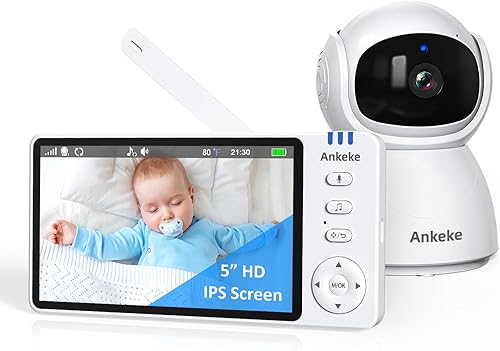
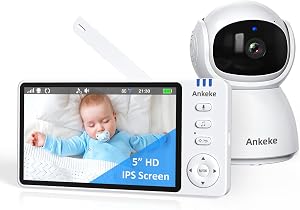
| HelloBaby PTZ (5-inch) | Shelf or tabletop | 720p | No | Yes, 30 hrs |
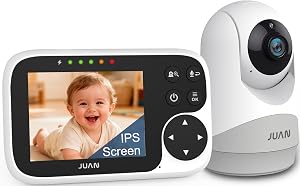
| HelloBaby 2-Camera | Shelf or tabletop | 720p | No | Yes, 30 hrs |
| GoodBaby PTZ | Shelf or tabletop | 720p | No | Yes |
Product Picks: Monitors That Solve the Toddler-Bed Mounting Problem
Nanit Pro with Floor Stand — Best Replacement for Miku Pro
The Nanit Pro ships with a floor stand specifically engineered to give an overhead view of the sleep surface, which is exactly what you lose when crib rails come off. The 1080p camera tracks sleep patterns, breathing motion through a wearable band (sold separately), and offers a true bird's-eye view that doubles as a toddler-bed mount when you just reposition the stand behind the bed. The footprint is weighted enough that a tugged cord won't tip it, and the gooseneck adjusts to whatever angle your toddler bed requires. Check the Nanit Pro on Amazon.

Owlet Dream Duo (Gen 3) — Best for Sleep-Tracking Continuity
If you used the Miku Pro mostly for its breathing-detection and sleep insights, the Owlet Dream Duo Gen 3 keeps the sleep-tracking experience going through the toddler years. It pairs a 2K HD camera with the Owlet sock sensor for direct heart-rate and oxygen monitoring, which is far more accurate than contactless breathing detection once a toddler is moving around freely. The camera mounts to a wall or sits on a shelf, so you sidestep the crib-rail dependency entirely. See the Owlet Dream Duo on Amazon.
HelloBaby No-WiFi PTZ Monitor — Best Budget Pick
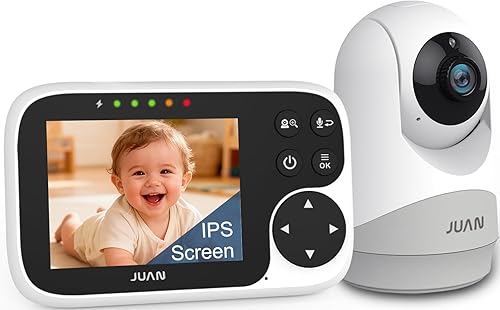
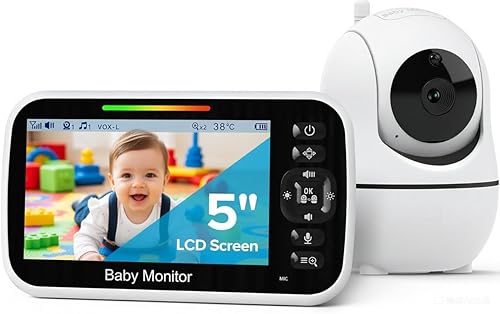
For parents who decide they don't need smart features once the toddler-bed phase starts, the HelloBaby no-WiFi PTZ monitor is hard to beat. It sits on a dresser or shelf, pans and tilts remotely from the handheld parent unit, runs 30 hours on battery, and never touches your home network — which a lot of families actually prefer for the nursery. It won't track sleep stages, but it does the core job of letting you watch and listen to your toddler. View the HelloBaby PTZ monitor on Amazon.
HelloBaby 2-Camera Bundle — Best for Multiple Kids or Rooms
If your toddler is moving into a shared room or you want a second camera for a play area, the HelloBaby 2-camera bundle covers both spaces from one parent unit. Same 30-hour battery, same no-WiFi reliability, and the split-screen view shows both kids at once. Check the HelloBaby 2-camera set on Amazon.
GoodBaby No-WiFi PTZ Monitor — Best Alternative Budget Option
The GoodBaby PTZ monitor is functionally similar to the HelloBaby, with remote pan/tilt and a parent unit that doesn't rely on home WiFi. It's a solid backup option if HelloBaby is out of stock or if you prefer GoodBaby's interface. See the GoodBaby monitor on Amazon.
Step-by-Step: Repositioning the Miku Pro for a Toddler Bed
If you've decided to keep the Miku Pro and re-mount it, here's the exact process. First, decide between wall mount, floor stand, or shelf based on your room layout. Measure 3–4 feet up from the toddler mattress surface — this is your target camera height. Confirm the camera lens, once mounted, will angle down so the toddler's chest is in the center of frame even if they roll to either edge of the bed.
Next, address cord safety. The Miku Pro power cable needs to be either routed through wall channels, secured behind furniture, or covered with a cord protector. Toddlers will absolutely pull on any visible cord, and a heavy camera coming down on them is the worst-case scenario you want to engineer out completely. Anchor any furniture the camera sits on to the wall — toddlers climb.
Finally, open the Miku app and verify the breathing-detection field of view is still calibrated. Walk through the in-app setup again with the new mount position. If the app reports that the view is partially obstructed or the angle is wrong, you'll need to adjust until the alerts stop. If you can't get a clean calibration after several attempts, that's your signal that the mount isn't going to work for this setup and it's time to switch monitors.
Safety Considerations That Matter Most
Cord management is the single biggest safety issue with any nursery camera in a toddler-bed room. The American Academy of Pediatrics recommends cameras and cords be at least 3 feet from the sleep surface, and that distance becomes much harder to maintain once your child can stand up on the mattress and reach. Anchor every piece of furniture, use cord covers, and walk through the room as if you were a 2-year-old looking for something to grab.
Also consider what happens during a nighttime wake-up. Toddlers wake up, get out of bed, and walk around — that's the whole point of a toddler bed. Your monitor placement should let you see the whole bed plus the door area so you know when they're up, not just when they're still in bed. A wide-angle wall mount usually wins on this front compared to a tight crib-style overhead view.
For more on transitioning your nursery setup, see our guides on the best WiFi-free baby monitors for toddler rooms, how to wall-mount a baby monitor safely, and when to stop using a baby monitor altogether.
Frequently Asked Questions
Can I still use the Miku Pro after my child moves to a toddler bed?
Yes, but you'll need a new mounting solution since the included crib bracket no longer applies. Wall mounting above the headboard at 3–4 feet, using a weighted floor stand behind the bed, or placing the camera on a securely anchored shelf are all viable. Breathing detection accuracy depends on getting the lens angle and distance right, so re-calibrate in the app after repositioning.
What height should I mount a Miku Pro for a toddler bed?
Aim for the lens to sit 3 to 4 feet above the mattress surface, angled down to capture the toddler's chest. Mounting too high reduces breathing-detection accuracy, while mounting too low risks the camera being grabbed or knocked. The same general rule applies to most contactless breathing monitors.
Is the Miku Pro breathing detection accurate without the crib mount?
It can be, but only if you replicate the camera-to-mattress distance and angle the original mount provided. If your wall or floor-stand setup puts the camera at the right height with an unobstructed view, the breathing-detection algorithm should work normally. If you see frequent false alerts or "obstructed view" errors, the geometry is off and you need to reposition.
Do I really need a smart monitor like the Miku Pro after age 2?
Most parents find the smart features less essential once SIDS risk drops after 12 months. By the toddler-bed phase, what you actually use is the video, audio, and two-way talk — which a simpler no-WiFi monitor like the HelloBaby PTZ or GoodBaby PTZ handles for a fraction of the price. The Miku Pro is still a great monitor, just often overkill for toddlers.
What's the safest way to run the Miku Pro cord with a toddler in the bed?
Route the cable through in-wall channels if possible, or use heavy-duty cord covers along the baseboard and up the wall. The cord should never dangle within arm's reach of the bed. If you're using a floor stand, weight the base and tape the cord flat against the floor along the wall using cable raceways. Toddlers will test every cord they can see.
Can I use the Nanit Pro as a Miku Pro replacement for a toddler bed?
Yes — the Nanit Pro ships with a floor stand that's purpose-built for the overhead view many parents need after transitioning out of a crib. It also supports breathing-motion tracking via a wearable band if you want to keep that feature going. The mounting flexibility makes it one of the most common Miku Pro replacements for toddler-bed setups in 2026.
How do I keep a toddler from grabbing the camera or mount?
Combine three tactics: mount the camera at least 3 feet above the bed surface, anchor any furniture it sits on to the wall, and cover or conceal all cords. If your toddler stands on the mattress, they may still reach a low mount, so wall-mounting above the headboard is generally safer than a floor stand close to the bed. Test the setup by physically tugging on everything before you trust it overnight.
Key Takeaways
- Choosing the right miku pro toddler bed without crib rails means matching capacity and output ports to your actual devices
- Always check actual watt-hours (Wh), not just watts — runtime depends on Wh, not peak output
- Also covers: miku pro crib to toddler bed transition
- Also covers: miku pro montessori floor bed
- Also covers: miku pro tracking toddler open bed
- Compare price-per-Wh across models to find the best value for your budget