Finding the right baby monitor for bunk bed shared toddler infant room setups is uniquely tricky: you need to see a sleeping newborn up close in a crib, keep eyes on a toddler climbing a bunk ladder, and ideally do both without juggling two apps or six wires. In 2026, the best monitors handle this with dual-camera support, pan-tilt-zoom (PTZ) optics that can sweep from crib to bunk, and split-screen displays parents can actually read at 3 a.m. Below, we compare the top picks, where to mount each camera, and how to keep both kids safely visible on one screen.
Why a Shared Bunk-and-Crib Room Needs a Different Monitor
Top Picks
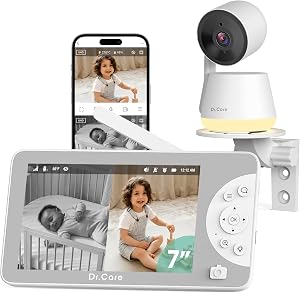
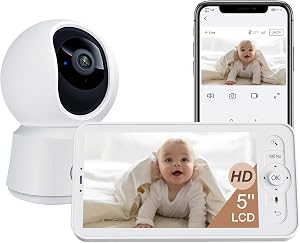
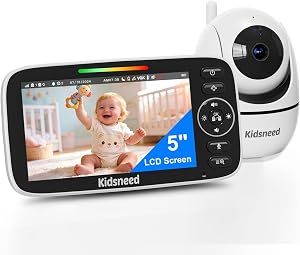
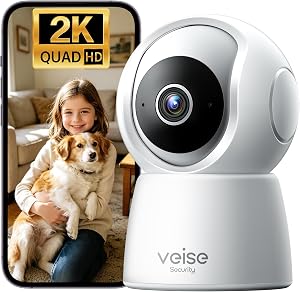
A shared room with a bunk bed and an infant crib has three sightline problems most monitors aren't designed for. First, the bunk's top mattress sits 50-60 inches off the floor, well above the natural angle of a crib-aimed lens. Second, the infant in the crib needs a tight overhead view for breathing and swaddle checks, while the toddler on the bunk needs a wider room view for safety and bedtime monitoring. Third, you're often dealing with two very different sleep schedules — naps, wake windows, and night feeds rarely line up, so the monitor has to support both children without one waking the other.



That's why a single fixed-lens camera almost never works for this layout. The right baby monitor for bunk bed shared toddler infant room setups will either support two cameras out of the box, offer wide PTZ coverage from a corner mount, or both. Battery life on the parent unit also matters more than usual — you'll be glancing at it constantly between two children.
Comparison: Top Baby Monitors for Bunk + Infant Shared Rooms in 2026
| Monitor | Dual-Camera Ready | Display / App | PTZ | Best For |
|---|---|---|---|---|
| Nanit Pro Smart Baby Monitor | Add second camera | Smartphone app + optional hub | Digital zoom, wide overhead | Infant breathing analytics + toddler check-ins |
| Owlet Dream Duo (Gen 3) | Sock + 2K camera | Smartphone app | Digital zoom | Infant wellness tracking with toddler bunk view via app |
| HelloBaby 5-inch 2-Camera | Yes, 2 cameras included | 5-inch handheld, 30-hr battery | Pan/tilt | No-Wi-Fi dual coverage out of the box |
| HelloBaby No-WiFi PTZ | Supports up to 4 cameras | 5-inch handheld, 30-hr battery | Full PTZ | Expanding from 1 to 2 cameras later |
| GoodBaby PTZ No-WiFi | Supports multiple cameras | Dedicated handheld | Full PTZ | Budget-friendly secure pick |
Top Baby Monitor Picks for Bunk Bed Toddler + Infant Shared Rooms
1. HelloBaby 5-inch Baby Monitor with 2 Cameras — Best Overall Dual Coverage
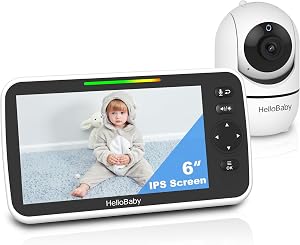
If you want the simplest "open the box, see both kids" experience, this is it. The HelloBaby 5-inch handheld ships with two cameras and a split-screen parent unit, so you can mount one over the infant's crib and one aimed at the toddler's bunk with no extra purchases. Battery life on the parent unit hits roughly 30 hours in audio-only mode, which means a single overnight charge easily covers a full day plus a nap. Because it runs on a closed 2.4 GHz signal rather than Wi-Fi, there's no app login, no cloud account, and no risk of internet outages cutting the feed mid-feeding.
For a bunk + crib layout, mount the first camera on the wall above the crib at about 5-6 feet, angled down for a clear overhead infant view. Aim the second across the room toward the bunk so the lens captures both the top bunk's headboard area and the ladder. Split-screen view shows both feeds side by side, and you can tap to enlarge either child if something looks off. Check the HelloBaby 5-inch 2-Camera Monitor on Amazon.
2. Nanit Pro Smart Baby Monitor — Best for Infant Sleep Analytics
Parents who want detailed breathing-motion tracking, sleep scoring, and time-lapse recap of the infant's night gravitate toward the Nanit Pro. The 1080p overhead camera mounts directly over the crib via wall mount or the included floor stand, giving you a perfectly framed top-down view that's ideal for sleep sack and swaddle visibility. The Nanit app supports multiple cameras on one account, so a second Pro unit aimed at the toddler bunk gives you both kids in the same app, switchable with a single tap.
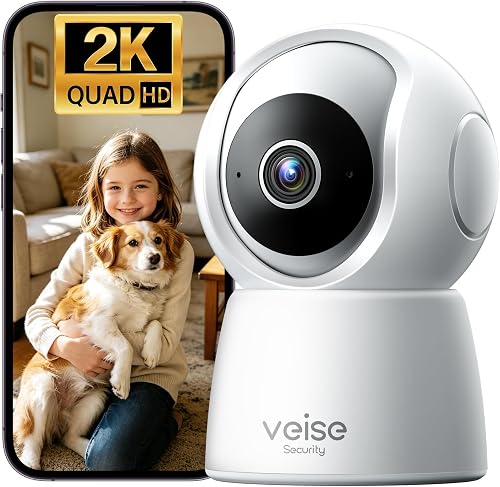
The trade-off versus a dedicated handheld is that the Nanit relies on Wi-Fi and your phone, so factor in nightstand charging and notification settings. For families already deep in smart-home setups, the integration is worth it — you can pin both feeds to a tablet on the nightstand and get separate sound and motion alerts per child, which is exactly what mismatched sleep schedules demand. View the Nanit Pro Smart Baby Monitor on Amazon.
3. Owlet Dream Duo (Gen 3) — Best for Wellness Monitoring of the Infant
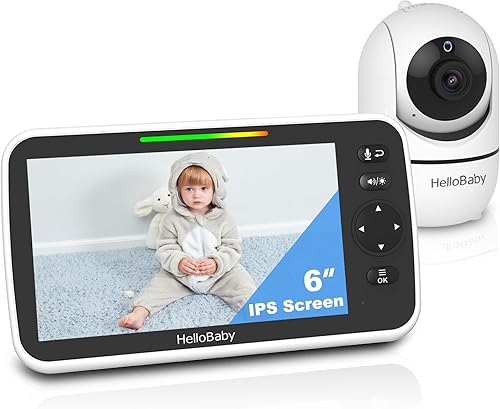
The Dream Duo bundles a 2K HD camera with the Dream Sock, which tracks the infant's heart rate, oxygen levels, and sleep state. In a shared room, this layered approach is genuinely useful: the sock gives you data-driven peace of mind on the baby while you use the camera for visual checks on both children. The 2K resolution means digital zoom on the toddler bunk still looks sharp — handy when you need to verify whether the older sibling is actually sleeping or quietly reading under the covers.
One caveat: the Owlet camera is a single-lens setup, so for full bunk coverage you'll either rely on a wide angle (good but not perfect for high bunks) or pair it with a second monitor or camera dedicated to the toddler side. For infants 0-18 months in a shared room, the wellness data alone can justify the price. See the Owlet Dream Duo on Amazon.

4. HelloBaby No-WiFi PTZ Baby Monitor — Best Expandable No-WiFi Pick
If you'd rather start with one camera and add a second later — for example, when your toddler graduates from a crib to the bunk — this PTZ model supports up to four cameras on one parent unit. Full pan, tilt, and zoom from the handheld means a single camera mounted in a corner can sweep from the crib to the top bunk in seconds, which is a clever workaround if you don't want two devices on the wall yet. The 5-inch display and 30-hour battery match the dual-cam HelloBaby, so the user experience is consistent if you mix-and-match.
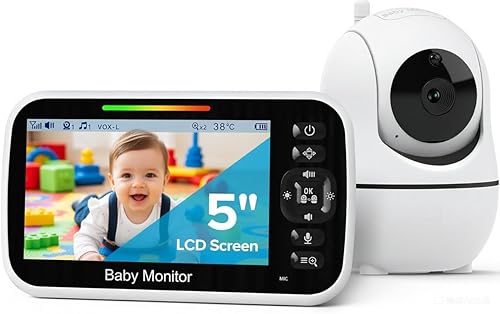
This is also the pick to consider if your shared room is large or oddly shaped. PTZ buys you flexibility a fixed lens can't match — useful when the toddler inevitably moves the bunk three inches "to make a fort." Check the HelloBaby No-WiFi PTZ Monitor on Amazon.
5. GoodBaby PTZ No-WiFi Baby Monitor — Best Budget Pick
For families furnishing a nursery on a tight budget, the GoodBaby PTZ delivers the core features that matter most for a bunk and crib layout: pan, tilt, two-way talk, and a no-Wi-Fi connection that keeps the feed local. It's expandable to multiple cameras, so you can add a second once budget allows. The image is not as crisp as Nanit or Owlet, but for room-level awareness and quick toddler check-ins, it does the job.
Place the camera high enough that the bunk's top rail doesn't block your view of the upper mattress, and angle it slightly downward so the crib edge stays in frame. Bonus: because it doesn't transmit to the internet, you won't worry about firmware patches or compromised cloud accounts. View the GoodBaby PTZ Monitor on Amazon.
How to Mount Two Cameras in a Bunk + Crib Room
Placement is half the battle for any baby monitor for bunk bed shared toddler infant room. Three rules will save you hours of re-mounting:
- Crib camera high and forward. Mount above the foot of the crib, 4-5 feet above the mattress, angled down. This gives you a full crib view without the camera being within toddler reach.
- Bunk camera in the opposite corner. The toddler bunk needs a slightly elevated, opposite-corner angle so the top bunk's rail and mattress are both visible. Avoid mounting directly across from the bunk — you'll either see only the rail or only the ceiling.
- Cords completely out of reach. Use cord covers and route every cable behind furniture. Toddlers exploring a new sibling's gear is a strangulation risk if cables dangle.
For more on setting up a safe shared sleep space, see our guide to designing a shared toddler-and-infant nursery and our breakdown of baby monitor camera placement for cribs and beds.
Wi-Fi or No-Wi-Fi? What Works Better for Two Kids
Wi-Fi monitors like Nanit Pro and Owlet Dream Duo shine when you want analytics, remote viewing while at work, and integration with phones or tablets. They scale gracefully to multiple cameras on one app and are easier when grandparents need temporary access. The downside: they depend on your home Wi-Fi, your phone's battery, and an active account.
No-Wi-Fi handhelds like the HelloBaby and GoodBaby lines are tougher to disrupt — no router reboot will cut your feed, and there's nothing to hack remotely. For a shared room where reliability at 2 a.m. matters most, many parents prefer the handheld approach and use a phone-based monitor only as a supplement. If you want a deeper comparison, our Wi-Fi vs non-Wi-Fi baby monitor guide walks through the security and reliability differences.
Frequently Asked Questions
Can one baby monitor watch both a bunk bed toddler and an infant in a crib?
Yes, but only certain models. Look for either a dual-camera bundle (like the HelloBaby 2-Camera) or a system that supports adding a second camera (Nanit Pro, HelloBaby PTZ, GoodBaby). A single fixed-lens camera struggles to cover both the crib and the top bunk because of the angle and height differences. PTZ helps if you only want one camera, but two dedicated cameras is the more reliable answer for a shared room.
Where do I mount a baby monitor camera if my toddler sleeps on the top bunk?
Mount the camera in the opposite upper corner of the room, slightly above the height of the top mattress, angled downward toward the bunk. This avoids the top rail blocking the lens and keeps the cord far from a curious toddler's reach. Avoid mounting on the bunk frame itself — vibration from climbing will shake the picture.
Will the toddler's noise on the monitor wake the infant in the same room?
The monitor itself doesn't broadcast sound back into the room unless you press two-way talk. The real risk is the toddler waking the infant directly. Choose a monitor with adjustable per-camera sound sensitivity so you only get alerts above a certain volume, and consider a white-noise machine between the crib and bunk to mask small sounds.
Is a Wi-Fi baby monitor safe in a shared nursery?
Modern Wi-Fi monitors like Nanit and Owlet use encrypted streams and two-factor authentication. The bigger safety issue in a shared nursery is the camera's physical placement and cord routing — keep cables behind cord covers, and never mount a camera within arm's reach of a bunk or crib rail. If you're concerned about network security, a no-Wi-Fi monitor like the HelloBaby PTZ removes the internet from the equation entirely.
How many cameras do I really need for a bunk and crib room?
Two is the sweet spot: one dedicated overhead view of the crib for infant breathing checks, and one room-wide view that captures the bunk. A single PTZ camera can work if the room is small and the bunk is in clear line of sight, but you'll constantly be panning, and you can only see one child at a time. Two cameras with split-screen is far less stressful at night.
What's the best baby monitor for a small shared room with bunk beds?
In a small room (under 120 square feet), the HelloBaby 5-inch 2-Camera bundle is often the best overall value — both cameras included, no Wi-Fi needed, and a battery that lasts the full day. If you want infant wellness data on top of that, pair it with an Owlet Dream Sock for the baby. Larger rooms or families wanting smart-home integration usually prefer two Nanit Pro cameras on the same app.
Do I need a monitor with a screen, or is a phone app enough?
A dedicated screen is more reliable for a shared room. Phones get notifications, calls, and texts that can hide the feed at the worst moment, and battery drain is real if the app streams overnight. Many parents pair both: a handheld monitor like HelloBaby for at-home use and a smart monitor like Nanit Pro for remote check-ins during work.
Final Take
The best baby monitor for bunk bed shared toddler infant room setups in 2026 is the one that lets you see both kids on one screen without compromise. For most families, the HelloBaby 5-inch 2-Camera bundle is the easiest, most reliable choice. Parents who want infant wellness data lean Owlet Dream Duo; smart-home households gravitate to Nanit Pro; and budget-conscious shoppers do well with the GoodBaby PTZ. Whichever you choose, two cameras with thoughtful placement will beat any single-camera setup in a shared nursery.
Key Takeaways
- Choosing the right baby monitor for bunk bed shared toddler infant room means matching capacity and output ports to your actual devices
- Always check actual watt-hours (Wh), not just watts — runtime depends on Wh, not peak output
- Also covers: baby monitor two kids bunk bed
- Also covers: monitor shared bedroom toddler baby
- Also covers: split screen monitor bunk bed nursery
- Compare price-per-Wh across models to find the best value for your budget