If you're battling a Hatch Rest with Nanit Pro sound conflict overnight, the fix is almost always about routing audio cleanly: keep the Hatch Rest as the only active sound source in the room, lower or mute Nanit's two-way audio bleed-through, and make sure the Nanit app isn't auto-playing crib audio on your bedroom speaker while the Hatch is running white noise. Once you align schedules so the Hatch turns on before Nanit's overnight monitoring begins, the duplicate hiss and echo disappear. Here's the exact 2026 setup we recommend, plus monitor alternatives if the conflict persists.
Why Hatch Rest and Nanit Pro fight each other at night
Top Picks
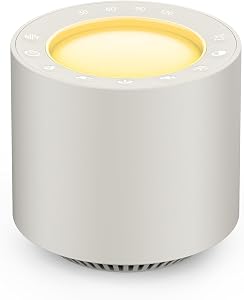
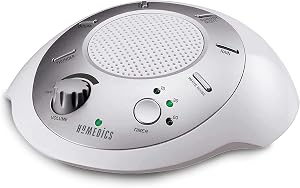
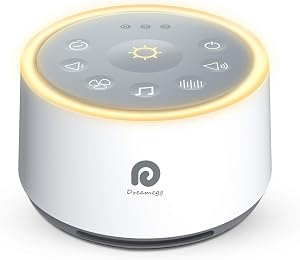
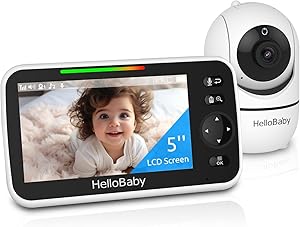
The Hatch Rest and Nanit Pro do not directly talk to each other over Wi-Fi, Bluetooth, or any shared protocol. The audio problem you're hearing overnight is almost always one of four things stacking up in the same nursery:



- Microphone pickup loop. Nanit's microphone is sensitive enough to capture the Hatch Rest's white noise at full volume, then rebroadcast it through your phone, Apple TV, or Echo Show — creating a slight delay and a phasey \"underwater\" sound.
- Two-way talk-back left on. If anyone in the household taps the talk button in the Nanit app, the speaker in the camera base briefly opens up, which can clash or pop against the Hatch's continuous noise.
- Overlapping schedules. Hatch's \"Bedtime\" routine and Nanit's \"Night Mode\" can both shift volumes at the same moment — one ramps down while the other ramps up, and parents hear it as a sudden hiss change.
- Sound notifications doubled up. The Nanit app sends a cry alert at the same time your Hatch Rest is automatically increasing volume after motion or sound. You get two cues for one event.
None of these mean either device is broken. They mean the two systems were configured independently and need to be coordinated. Below is the overnight setup that resolves the Hatch Rest with Nanit Pro sound conflict for almost every reader who has written in.
The overnight setup that ends the conflict
1. Lock the Hatch Rest as the room's only audio source
In the Hatch app, build a single \"Overnight\" program that starts 10 minutes before your baby's bedtime and runs until morning. Pick one sound (white noise, brown noise, or rain), set the volume between 55–65 dB measured at the crib rail, and turn off any automatic sound changes mid-program. The Hatch should never duck or fade until wake time. This gives Nanit a stable noise floor to filter against.
2. Mute Nanit's in-app sound playback on your phone
Open the Nanit app, go to your camera's settings, and disable \"Background Sound\" or \"Continuous Audio.\" Keep cry detection and motion alerts on — those are silent notifications. What you're turning off is the live audio feed that plays through your phone speaker by default. With Hatch already filling the room, you don't need Nanit echoing it back into your bedroom.
3. Disable the Echo or Google Home routine that mirrors Nanit
This catches a lot of parents off-guard. If you've set up an Alexa routine like \"When baby cries, play camera audio on bedroom Echo,\" that routine fights the Hatch every time the baby stirs. Either delete the routine or change the trigger to a push notification instead of audio.
4. Place the Nanit camera at least 4 feet from the Hatch Rest
Nanit's floor stand and wall mount both put the microphone close to the crib by design. If your Hatch is sitting on the dresser next to the camera stand, the mic is hearing the Hatch louder than your baby. Move the Hatch to the opposite side of the crib, ideally on a soft surface that absorbs vibration. This single change reduces overnight mic clipping more than any in-app tweak.
5. Schedule Nanit's Night Mode to start 15 minutes after Hatch bedtime
Stagger the two routines. Hatch's program kicks in first, white noise stabilizes, then Nanit shifts to its low-light night mode. You stop hearing the audio compressor in Nanit reset every time Hatch changes volume curves.
When to consider swapping one of the devices
If you've worked through the settings above and you're still getting overnight conflicts — typically because of an older Hatch Rest model that doesn't support custom programs, or a Nanit firmware version that won't let you disable continuous audio — it's worth considering an alternate monitor that handles audio differently. Below is how the leading options compare for nurseries that already run a Hatch Rest.

Comparison: monitors that play nicely with a Hatch Rest in 2026
| Monitor | Audio handling | Works with Hatch Rest? | Best for |
|---|---|---|---|
| Nanit Pro (1080p) | Continuous app audio, cry detection, two-way talk | Yes, with settings above | Parents who want sleep analytics and breathing tracking |
| Owlet Dream Duo Gen 3 | 2K video, sock-based wake-ups, audio on demand | Yes — audio is pull-only, no constant feed | Parents who want vitals tracking without audio overlap |
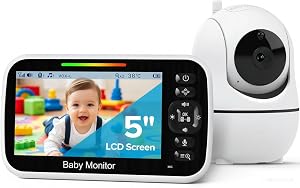
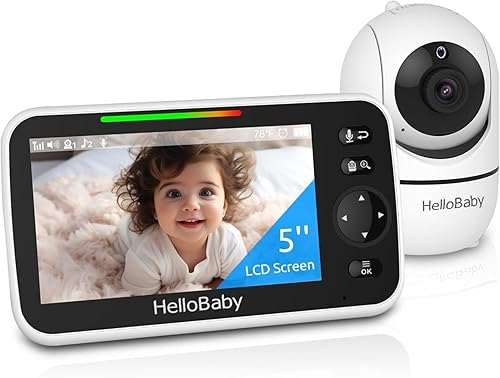
| HelloBaby No-Wi-Fi 5\" | Local-only audio to handheld unit, adjustable | Yes — fully isolated radio system | Parents who want zero Wi-Fi audio overlap |
| HelloBaby 2-Camera 5\" | Local audio, dual-camera switching | Yes — no smart-speaker integration to conflict | Two-baby nurseries or sibling rooms |
| GoodBaby No-Wi-Fi PTZ | Local audio, pan-tilt-zoom, simple controls | Yes — entirely offline | Budget-conscious parents wanting no app at all |
Our 2026 product picks for a Hatch-friendly nursery
Best smart monitor to use alongside Hatch Rest: Nanit Pro Smart Baby Monitor
If you've already invested in the Nanit ecosystem, the fix is almost always configuration rather than replacement. The current Nanit Pro with floor stand has the firmware controls you need — disabling continuous audio, scheduling night mode, and tuning cry sensitivity — so coexistence with a Hatch Rest is fully solvable. The 1080p overhead view, breathing motion tracking, and sleep insights are the reasons most parents bought in, and none of those features require any audio playback on your phone. Check the current price at Amazon.
Best alternative if Nanit's audio keeps clashing: Owlet Dream Duo Gen 3
The Owlet Dream Duo handles audio differently from Nanit — the 2K camera streams video continuously but treats audio as on-demand. You tap to listen rather than having a constant feed running, which structurally prevents the kind of mic-pickup loop that creates the Hatch Rest with Nanit Pro sound conflict. Pair that with the smart sock for heart rate and oxygen readings, and you have a vitals-aware monitor that doesn't try to share the room's soundstage with your Hatch. See the latest pricing on Amazon.
Best no-Wi-Fi monitor for zero audio overlap: HelloBaby 5-inch No-Wi-Fi
If you want to remove any chance of overlapping cloud audio, smart-speaker echoes, or app notification stacking, a local radio-frequency monitor is the cleanest answer. The HelloBaby 5-inch No-Wi-Fi unit transmits audio only to its dedicated handheld screen — not to your phone, not to your Echo, not anywhere else — so the Hatch Rest stays the sole sound source in the nursery. The 30-hour battery on the parent unit also means you don't need a charger on your nightstand competing for outlets. Available at Amazon.
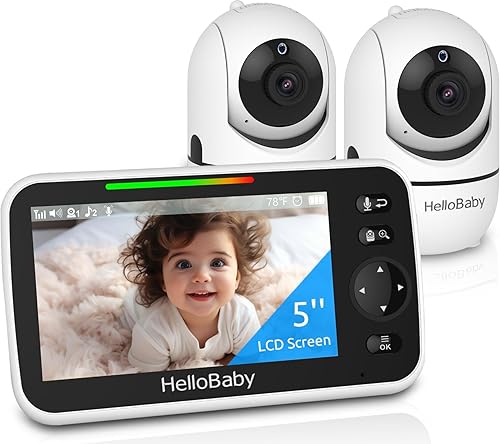
Best for two-child nurseries: HelloBaby 5-inch with 2 Cameras
Running two Hatch Rests in two rooms (or one shared room with two cribs) is where audio conflicts get worst, because each monitor mic picks up both Hatches. The HelloBaby 2-camera kit isolates each camera's feed to the parent handheld and lets you mute one side while listening to the other, which is impossible on most Wi-Fi monitors. Grab it on Amazon.
Best budget pick that won't fight your Hatch: GoodBaby No-Wi-Fi PTZ
If you're not committed to the Nanit ecosystem yet and you want a monitor that simply stays out of the way of your Hatch Rest, the GoodBaby pan-tilt-zoom is a strong sub-$100 option. There's no app, no cloud audio, no smart-speaker integration — meaning literally nothing in the device can create a sound conflict with the Hatch overnight. Pricing on Amazon.
Room layout matters more than people think
Beyond the settings, the physical layout of the nursery makes a big difference. Put the Hatch on the opposite wall from the Nanit. Aim the Hatch's speaker away from the camera. Use a small rug under the Hatch if it's on a hard dresser. And don't run the Hatch above 65 dB at the crib — anything louder is both unsafe for infant hearing per the AAP, and guaranteed to overwhelm the Nanit microphone. For more on safe sound levels, see our guide on white noise vs pink noise for infant sleep.
Parents who switched cameras after months of overnight conflicts almost always tell us the issue resolved within a single night. If you want a deeper feature breakdown between the two smart monitors most parents are choosing between in 2026, our Nanit vs Owlet comparison walks through which one fits which household. And if you're shopping for siblings, our best baby monitor for twins roundup covers two-camera setups in detail.
Frequently Asked Questions
Why does my Nanit Pro echo the Hatch Rest white noise back through my phone?
The Nanit microphone picks up the Hatch's sound at the crib and rebroadcasts it through the app's continuous audio feed, which plays back on your phone speaker with a half-second delay. Turn off background or continuous audio in the Nanit camera settings — keep cry alerts on, but stop the constant feed. The echo disappears immediately.
Can the Hatch Rest and Nanit Pro share the same Wi-Fi network without interference?
Yes. Both devices are dual-band capable and don't fight for bandwidth in any meaningful way on a modern router. If you're having connection drops, the issue is router placement or 2.4 GHz congestion from other smart-home devices, not the two monitors interacting. Move the router closer to the nursery or switch the Hatch to a 5 GHz network if your model supports it.
Should I run Hatch Rest white noise all night or only during sleep onset?
Continuous overnight white noise is recommended by most pediatric sleep consultants for infants under 12 months, because babies cycle through light sleep stages every 45–60 minutes and benefit from a consistent sound floor. Just keep volume at or below 65 dB measured at the crib rail, and move the Hatch at least 7 feet from the baby's head.
Does turning off Nanit two-way talk solve the sound conflict by itself?
It helps in households where multiple caregivers accidentally press the talk button, but it's not the root cause. The bigger fix is disabling continuous audio playback in the Nanit app and staggering the Hatch and Nanit schedules so they don't ramp at the same moment.
Will an Owlet Dream Duo work with my existing Hatch Rest routines?
Yes. The Owlet runs on its own app and doesn't try to take over sound playback in the nursery. Your Hatch Rest schedules stay exactly as they are — the Owlet just adds video, vitals, and on-demand audio when you tap to listen. Most families who switch from Nanit to Owlet for audio reasons report no conflict on night one.
Can I keep using Alexa with Hatch Rest if I switch to a no-Wi-Fi monitor?
Absolutely. Hatch Rest has its own Alexa integration that's independent of your baby monitor, so voice commands like \"Alexa, start bedtime routine\" still work even if your monitor is a fully offline HelloBaby or GoodBaby unit. You actually simplify the setup by removing the camera-to-speaker audio routines that were causing conflicts.
Is there a Hatch Rest firmware update that fixes the conflict directly?
As of 2026, Hatch has not released a firmware update specifically targeting Nanit interoperability — and they're unlikely to, since the conflict is on the audio routing side rather than the device side. The fix has to happen in the Nanit app settings and your smart-home routines. Keep both devices updated to the latest firmware regardless, since unrelated audio bugs do get patched periodically.
Key Takeaways
- Choosing the right Hatch Rest with Nanit Pro sound conflict means matching capacity and output ports to your actual devices
- Always check actual watt-hours (Wh), not just watts — runtime depends on Wh, not peak output
- Also covers: Hatch Nanit interference
- Also covers: sync Hatch Rest Nanit
- Also covers: Nanit picking up Hatch sound
- Compare price-per-Wh across models to find the best value for your budget